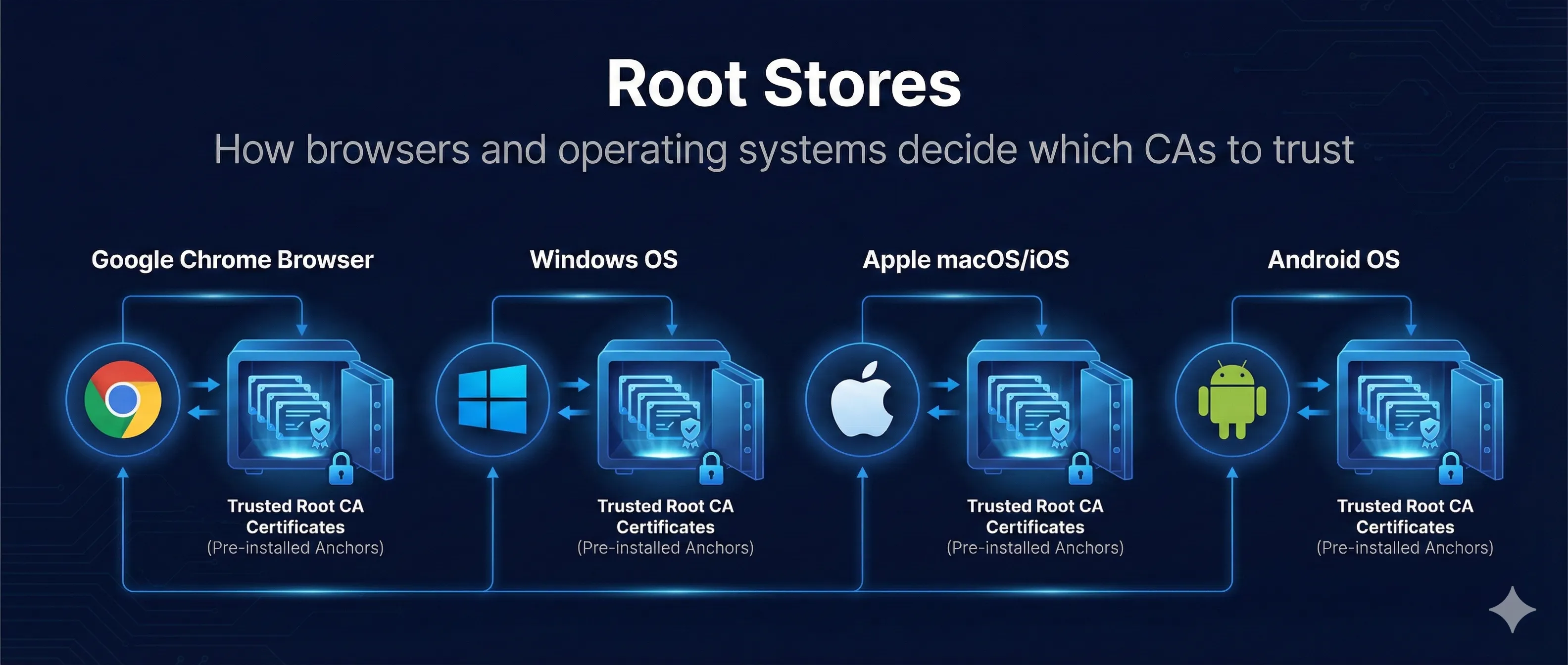
Quick Answer: What is a Root Store?
A Root Store (or Trust Store) is a collection of root CA certificates that your device or browser trusts. When you visit an HTTPS site, your browser checks if the certificate chains back to one of these trusted roots.
When your browser shows 🔒 for https://example.com...
It's because the certificate chains to a root CA in your trust store
Your device has ~100-150 root CAs pre-installed by the OS or browser vendor
If certificate chains to one → Trusted. If not → WARNING!
Key Point: Root stores are managed by operating system vendors (Microsoft, Apple) or browsers (Mozilla, Google). Each has its own inclusion criteria and policies.
Major Root Store Programs
| Program | Used By | Updated Via |
|---|---|---|
| Microsoft Root Program | Edge, IE, Windows apps, .NET | Windows Update |
| Apple Root Program | Safari, iOS apps, macOS apps | OS updates |
| Mozilla Root Store | Firefox, Thunderbird, many Linux distros | Firefox releases |
| Chrome Root Store | Chrome, Chromium browsers | Chrome releases |
| Java cacerts | All Java applications | JDK releases |
Java Trust Store Warning
The Java cacerts trust store is often outdated in old JDKs. If you're running legacy Java applications, newer CAs like Let's Encrypt might not be trusted. Always keep your JDK updated!
How Chain Validation Works
When you connect to an HTTPS site, your browser validates the entire certificate chain from the server's certificate up to a trusted root.
Step 1: Server Presents Certificate
Server sends its leaf certificate plus any intermediate certificates needed to build the chain to a root CA.
Step 2: Browser Builds Chain
Browser links: Leaf → Intermediate(s) → Root CA. Each certificate is signed by the one above it in the chain.
Step 3: Check Root Store
Browser asks: "Is the root CA at the top of this chain in my trust store?"
Step 4: Validate Chain
If root is trusted, verify: all signatures valid, nothing expired, nothing revoked. If all checks pass → Secure connection!
Root Found
www.example.com → Intermediate → Root CA → [In Trust Store]
✓ Secure Connection
Root NOT Found
www.example.com → Intermediate → Unknown Root → [NOT in Trust Store]
NET::ERR_CERT_AUTHORITY_INVALID
CA Distrust Incidents
When CAs violate policies or suffer security breaches, browsers remove them from their trust stores. This is rare but has happened to major CAs.
Event: Hackers issued rogue certificates for Google and other domains
Impact: Enabled surveillance of users in Iran
Outcome: Complete distrust, company went bankrupt
Event: Multiple certificate mis-issuance incidents
Impact: Largest CA at the time (~30% of all certificates)
Outcome: Gradual distrust over 2 years, sold CA business to DigiCert
Event: Backdating certificates, ownership deception
Impact: Free certificate providers in China
Outcome: Distrusted by Mozilla, then others. Both CAs ceased operations
What Happens During Distrust
- Browser vendor announces distrust with deadline
- Grace period for site owners to get new certificates
- Old certificates stop working on deadline
- All affected sites must get certs from a new CA
How CAs Get Into Root Stores
Becoming a trusted root CA is a rigorous, multi-year process. CAs must meet strict security and operational requirements.
AUDIT
WebTrust or ETSI audit. Annual compliance reviews. Costs ~$100,000+/year for audits.
APPLY
Submit to each root program (Microsoft, Apple, Mozilla, Google). Provide audit reports, policies, insurance.
REVIEW
Program reviews application. Public discussion (Mozilla). Technical evaluation. Can take 1-2+ years.
INCLUSION
Added to next root store update. Propagates to all users via updates. Now trusted globally!
ONGOING
Annual audits. Incident reporting. Policy compliance. Can be removed for violations.
Viewing Your Trust Store
certmgr.msc
# Navigate to: Trusted Root CAs
# Open: Keychain Access
# Navigate to: System Roots
ls /etc/ssl/certs/
# or
ls /etc/pki/tls/certs/
about:certificate
# In address bar
Java Trust Store
# View Java cacerts
keytool -list -cacerts

# With password (default is "changeit")
keytool -list -keystore $JAVA_HOME/lib/security/cacerts -storepass changeit

# List specific CA
keytool -list -cacerts | grep "DigiCert"
Enterprise Trust Management
Enterprises often need to add their own root CAs for internal PKI, development environments, or HTTPS inspection.
Why Enterprises Add Custom Roots
- • Internal CAs for intranet sites
- • Employee certificate PKI
- • Development and testing
- • HTTPS inspection (corporate proxy)
DANGER: Adding Root CAs
Anyone with a root CA in your trust store can:
- • Issue certificates for ANY domain
- • Perform undetectable man-in-the-middle attacks
- • Sign malware that appears trusted
Only add roots you fully control and trust!
Adding a Custom Root CA
# Linux (Debian/Ubuntu)
sudo cp my-root-ca.crt /usr/local/share/ca-certificates/
sudo update-ca-certificates

# Linux (RHEL/CentOS)
sudo cp my-root-ca.crt /etc/pki/ca-trust/source/anchors/
sudo update-ca-trust

# Java
keytool -importcert -trustcacerts -keystore $JAVA_HOME/lib/security/cacerts \
  -storepass changeit -alias "My Root CA" -file my-root-ca.crt
Frequently Asked Questions
Why does Firefox have its own root store?
Mozilla maintains its own root store (NSS) to ensure consistent trust across all platforms and to apply its own security policies. This means Firefox on Windows might trust different CAs than Edge or Chrome.
What is Chrome Root Store?
Chrome historically used the OS root store, but is transitioning to its own Chrome Root Store for more consistent security across platforms. This is rolling out gradually.
Can I remove a root CA from my trust store?
Yes, but be careful. Removing a legitimate root CA will break HTTPS for all sites using certificates from that CA. Only remove roots you're certain you don't need.
Why did my Java app stop trusting Let's Encrypt?
Likely you're using an old JDK. Let's Encrypt's ISRG Root was only added to Java in recent versions. Update your JDK or manually add the ISRG root to your cacerts.
Related Resources
CA Hierarchy Design
Design root and intermediate CAs trusted by these root stores.
Certificate Transparency
Public logging required by Chrome and other root store programs.
Certificate Anatomy
Decode root certificates and understand their structure.
Certificate Chain Builder
Visualize and debug certificate chain validation.
Certificate Revocation
How root stores handle CA distrust and revocation.
Explore Root Store Programs
See how different browsers and platforms manage trust, and watch the chain validation process.
Open Root Stores Demo