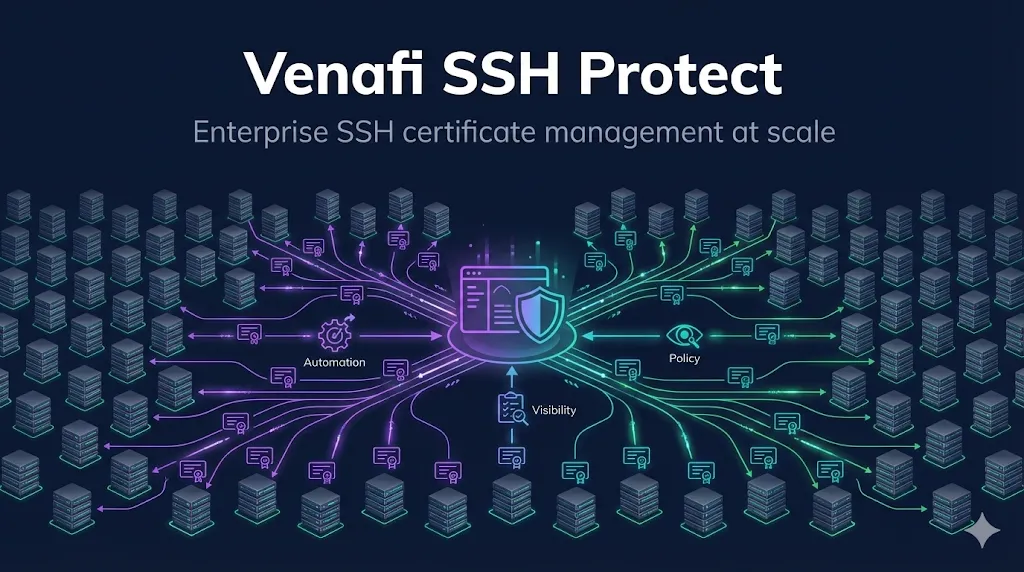
- • What it is: Enterprise platform for SSH certificate lifecycle management
- • When you need it: 500+ servers, compliance requirements, or security/PAM team demands it
- • Key value: Centralized policy, approval workflows, audit trails, and automated issuance
- • Who cares: Platform engineers, security architects, identity & PAM teams, compliance officers
1. When Native OpenSSH Isn't Enough
You can absolutely run SSH certificates with just OpenSSH. We covered that in our SSH Certificate Authority Setup guide.
But at some point, the DIY approach breaks down:
Where's the line? A mid-size SaaS with 200–500 Linux nodes can often manage with scripts and discipline. Large enterprises with thousands of servers, multiple teams, and compliance requirements hit the wall faster.
- • Who has access to the CA private key?
- • How do they sign certificates securely?
- • What happens when that person is on vacation?
- • How many SSH certificates exist?
- • Which ones are expiring this month?
- • Who has admin access?
- • Maximum validity periods? Honor system.
- • Allowed principals? Whatever the signer decides.
- • Source-address restrictions? Hope they remember.
- • "Show me all SSH access granted last quarter"
- • Audit trail lives in scattered log files
- • No approval workflows for privileged access
The threshold: Once you're managing SSH certificates for 100+ servers or have compliance requirements, manual processes become a liability.
2. What Venafi SSH Protect Does
Venafi SSH Protect is an enterprise platform for SSH certificate lifecycle management. It sits between your users/automation and your SSH CA:
┌─────────────┐     ┌─────────────────────┐     ┌─────────────┐
│   Users     │     │   Venafi SSH        │     │   Servers   │
│   CI/CD     │────▶│   Protect           │────▶│   (trust    │
│   Automation│     │                     │     │    Venafi   │
└─────────────┘     │  • Policy engine    │     │    CA)      │
                    │  • CA management    │     └─────────────┘
                    │  • Audit logging    │
                    │  • Approval flows   │
                    └─────────────────────┘
Venafi sits in the request path between identities and the SSH CA, not in the SSH data path.
Core capabilities:
| Capability | What It Does |
|---|---|
| Centralized CA | Venafi manages CA keys (or integrates with yours) |
| Policy enforcement | Max validity, allowed principals, required extensions |
| Self-service requests | Users request certs through portal or API |
| Approval workflows | Manager approval for privileged access |
| Inventory | See all SSH certificates across your environment |
| Audit trail | Every request, approval, and signing logged |
| Automated issuance | API/CLI for CI/CD integration |
3. Architecture Options
Venafi SSH Protect offers flexibility in how it manages your SSH CA:
Venafi generates and stores the CA private key:
- • Simplest deployment
- • CA key protected by Venafi's security controls
- • You trust Venafi with your CA
You provide an existing CA, Venafi orchestrates signing:
- • CA key stays in your HSM or secure storage
- • Venafi sends signing requests
- • You maintain ultimate control
Multiple CAs for different environments:
- • Production CA vs. Development CA
- • Regional CAs for latency
- • Different CAs for different teams
Most enterprises start with Option A for simplicity, then move to Option B as they mature.
4. Key Features Deep Dive
Policy Engine
Define rules that every certificate must follow:
Policy: "production-servers"
├── Max validity: 8 hours
├── Allowed principals: [deploy, monitoring, oncall]
├── Required extensions: [permit-pty]
├── Forbidden extensions: [permit-port-forwarding]
├── Source address: required (must specify)
└── Approval: required for "oncall" principal
Policies are enforced automatically. A user can't request a 30-day certificate if the policy says 8 hours max.
On the host side, this policy is enforced via sshd_config:
# /etc/ssh/sshd_config (on each server trusting the Venafi CA)
TrustedUserCAKeys /etc/ssh/venafi_user_ca.pub
AuthorizedPrincipalsFile /etc/ssh/auth_principals/%u
Inventory and Discovery
Venafi can discover existing SSH keys and certificates across your infrastructure:
- • Scan servers for authorized_keys files
- • Identify unmanaged SSH access
- • Find certificates issued outside Venafi
- • Track expiration dates across everything
→ See our Certificate Discovery guide for discovery concepts.
Just-in-Time Access
Instead of long-lived certificates, users request access when needed:
User requests certificate for prod-db-01
Request goes to approval queue (if required by policy)
Manager approves
Venafi issues 4-hour certificate
User connects, does their work, certificate expires automatically
No standing access. No certificates to revoke. Audit trail of every access request.
CI/CD Integration
Automation gets certificates too:
# GitHub Actions example
- name: Get SSH certificate
  run: |
    vcert ssh getcred \
      --url https://venafi.example.com \
      --token ${{ secrets.VENAFI_TOKEN }} \
      --key-id "github-actions-${{ github.run_id }}" \
      --principal deploy \
      --validity 1h \
      --public-key ~/.ssh/id_ed25519.pub \
      --output ~/.ssh/id_ed25519-cert.pub
Certificate is issued for just this pipeline run, with minimal permissions.
The runner's ~/.ssh/config can then use the cert automatically:
Host prod-*.example.com
  User deploy
  IdentityFile ~/.ssh/id_ed25519
  CertificateFile ~/.ssh/id_ed25519-cert.pub
5. Comparison: DIY vs. Venafi
| Capability | OpenSSH Native | Venafi SSH Protect |
|---|---|---|
| CA management | Manual key generation | Managed, HSM-backed |
| Signing | ssh-keygen on CA machine | API, portal, CLI |
| Policy enforcement | Scripts/discipline | Automatic, centralized |
| Visibility | grep through logs | Dashboard, reports |
| Inventory | Manual tracking | Automatic discovery |
| Approval workflows | Email/tickets | Built-in, audited |
| Audit trail | Scattered log files | Centralized, queryable |
| Revocation | Not really possible | Certificate holds, emergency revoke |
| Integration | Custom scripts | REST API, CLI, Terraform |
| Compliance reports | Build your own | Pre-built, exportable |
The honest take: DIY works fine for small environments. Venafi is for when "fine" isn't good enough—when you need compliance, scale, or your security team demands it.
6. Integration Points
Venafi SSH Protect connects to your existing infrastructure:
- • Active Directory / LDAP
- • Okta, Azure AD, Ping
- • SAML 2.0, OIDC
Map principals to identity groups
- • ServiceNow
- • Jira
- • Custom webhooks
"Engineer requests prod SSH access → ServiceNow CHG ticket auto-created → Manager approves in ServiceNow → Venafi issues 4-hour cert"
- • Splunk
- • Elastic
- • Any syslog destination
Every certificate event streamed for monitoring
- • HashiCorp Vault
- • AWS Secrets Manager
- • Azure Key Vault
Store and retrieve certificates securely
- • Ansible, Terraform, Puppet/Chef
- • Automate CA trust distribution and certificate deployment
7. Deployment Models
- • Fastest deployment
- • Venafi manages infrastructure
- • Your CA keys in Venafi's cloud HSM
- • Full control over infrastructure
- • CA keys stay in your datacenter
- • Required for air-gapped environments
- • Management plane in cloud
- • CA keys on-premises in your HSM
- • Best of both worlds
Typical deployment timeline (ballpark estimates):
| SaaS | Days to weeks (PoC can land in days) |
| On-premises | Weeks to months |
| Hybrid | 2-4 weeks |
Actual timelines depend on environment complexity, team size, and change management requirements.
8. Migration Path
Already have SSH certificates? Here's how to migrate:
- • Deploy Venafi discovery
- • Identify all existing SSH keys and certificates
- • Map current access patterns
- • Set up Venafi CA (or import existing)
- • Distribute Venafi CA trust alongside existing CA
- • Start issuing Venafi certificates for new requests
- • Both CAs work simultaneously
- • Move teams to Venafi self-service
- • Migrate CI/CD to Venafi API
- • Old certificates expire naturally
- • Monitor for stragglers
- • Remove old CA trust
- • Old certificates stop working
- • Venafi is now the only path
- • Decommission old CA
Key principle: Never do a hard cutover. Parallel operation lets you find problems without causing outages.
Real-world example
A mid-size fintech (~800 servers, 3 data centers) ran both CAs in parallel for 6 weeks. During week 4, they discovered a legacy Jenkins server still using the old CA—caught by Venafi's inventory scan, not an outage. By week 8, the old CA was decommissioned with zero service impact.
9. When to Choose Venafi vs. Alternatives
Venafi SSH Protect vs OpenSSH, Vault, step-ca, Teleport
Venafi isn't the only option for enterprise SSH certificate management. Here's how to decide:
| Solution | Best For | Limitations |
|---|---|---|
| OpenSSH native | < 100 servers, no compliance needs | No visibility, manual everything |
| HashiCorp Vault | Vault shops, secrets-focused | SSH is one of many features |
| smallstep step-ca | Cloud-native, DevOps-first | Less enterprise features |
| Teleport | Full SSH proxy/bastion | Replaces SSH, not just certificates |
| Venafi SSH Protect | Enterprise scale, compliance | Cost, complexity |
Choose Venafi when:
- • You already use Venafi for TLS certificates
- • Compliance requires detailed audit trails
- • You need approval workflows
- • Scale is 500+ servers
- • Security team demands enterprise-grade
Choose alternatives when:
- • Budget is limited
- • You're cloud-native and want OSS
- • You need full bastion/proxy (→ Teleport)
- • You're a Vault shop and want one tool
10. Talking to Your Security Team
If you're advocating for SSH certificates internally, here's what security teams care about:
"How do we revoke access if someone leaves?"
→ Short-lived certificates. 8-hour validity means access is gone tomorrow without any action. For immediate revocation, Venafi supports certificate holds.
"How do we audit who accessed what?"
→ Every certificate request is logged with: requester, principals granted, validity period, approver (if applicable), timestamp. Exportable to SIEM.
"What if the CA is compromised?"
→ CA private key stored in HSM. Venafi's architecture means the key never exists outside the HSM. Plus: separate CAs for different environments limit blast radius.
"How does this integrate with our identity provider?"
→ Native integration with AD, Okta, Azure AD. Users authenticate with SSO, principals mapped from group membership.
"We need approval for production access."
→ Policy engine supports required approvals. Manager must approve before certificate is issued. Full audit trail.
11. Getting Started
If you're evaluating Venafi:
Start with your TLS use case
If you're already looking at Venafi Trust Protection Platform for TLS certificates, SSH Protect is an add-on module. Bundle pricing may apply.
Run a pilot
Pick one team or environment. Deploy for 3 months. Measure: time to access, audit completeness, incident response.
Calculate ROI
Hours saved on manual signing × cost per hour. Risk reduction from short-lived certs. Audit prep time saved.
If you're not ready for Venafi:
Start with native OpenSSH certificates:
- → SSH Certificate Authority Setup - Build your own CA
- → SSH User Certificates - Eliminate authorized_keys
- → SSH Host Certificates - Eliminate TOFU
You can always migrate to Venafi later when scale or compliance demands it.
FAQ
How much does Venafi SSH Protect cost?
Venafi doesn't publish pricing—it's enterprise sales. Expect per-server or per-certificate pricing. Request a quote and pilot.
Can I use Venafi just for SSH, not TLS?
Yes, SSH Protect can be deployed standalone. But most customers use it alongside Trust Protection Platform for TLS certificates.
Does Venafi replace OpenSSH?
No. Venafi SSH Protect is an SSH certificate management platform that works alongside OpenSSH. You still use OpenSSH on your servers and clients—Venafi manages the certificate lifecycle (issuance, policy, inventory, audit). The actual SSH connections are unchanged.
What about cloud instances that auto-scale?
Venafi supports automated certificate issuance via API. New instances request certificates at boot, using machine identity tokens. When instances terminate, certificates expire naturally.
Can Venafi manage SSH keys (not just certificates)?
Yes. Venafi can inventory and manage traditional SSH keys during migration. The goal is usually to move from keys to certificates, but Venafi handles both.
Is there a free trial?
Contact Venafi sales. They typically offer proof-of-concept deployments for qualified prospects.
Related Guides
- What are SSH Certificates?Concept overview
- SSH User CertificatesAuthenticate users
- SSH Host CertificatesAuthenticate servers
- SSH Certificate Authority SetupDIY approach
- What is Venafi?Platform overview
- Certificate DiscoveryFinding certificates at scale
- Agent vs Agentless CLMDeployment models
- Certificate LifecycleSame principles apply
→ Explore all SSH topics in our Guide Collection