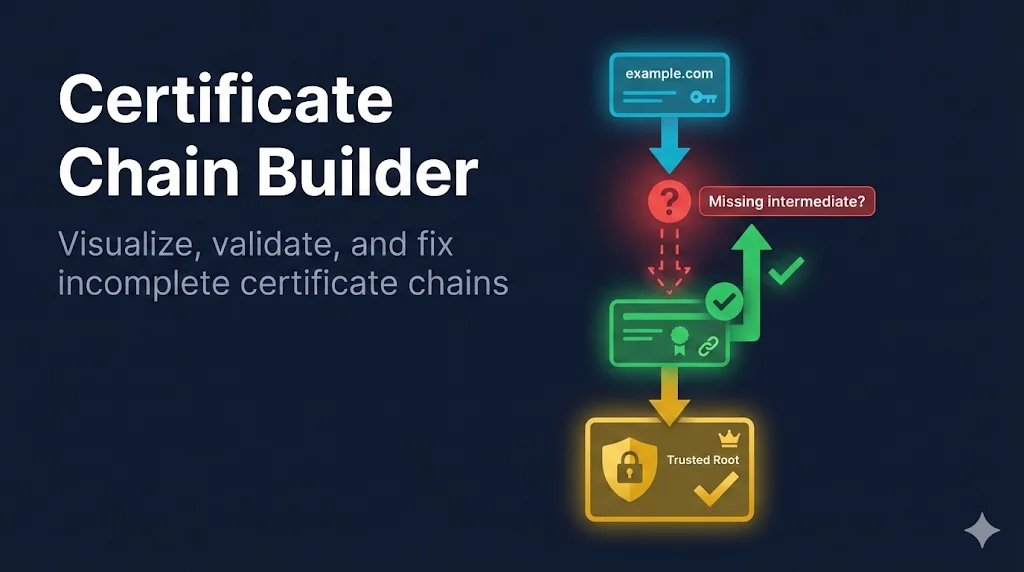
Watch: Certificate Chain Builder Explained
What is a Certificate Chain?
A certificate chain (also called a chain of trust) is a sequence of certificates that links your server's certificate to a trusted root CA. Browsers and clients need this chain to verify that your certificate is legitimate.
Why Chains Matter
- • Root CAs are kept offline for security - they don't sign server certs directly
- • Intermediate CAs bridge the gap between roots and leaf certificates
- • Browsers have ~150+ trusted roots pre-installed, but no intermediates
- • Your server must provide the intermediate(s) for validation to work
Anatomy of a Chain
A typical certificate chain has 2-4 certificates, ordered from leaf to root:
Leaf Certificate
- • Your actual server certificate
- • Contains your domain name
- • Has the shortest validity period
- • Not a CA (can't sign other certs)
Intermediate CA
- • Issued by the root CA
- • Signs leaf certificates
- • Must be sent by your server
- • May have multiple levels
Root CA
- • Self-signed (trusts itself)
- • Pre-installed in browsers/OS
- • Don't include on your server
- • Ultimate trust anchor
Common Chain Problems
Certificate chain errors are among the most common SSL issues. Here's a quick reference for diagnosing and fixing them:
| Error Message | Cause | Fix |
|---|---|---|
unable to get local issuer certificate | Missing intermediate | Add intermediate to chain file |
certificate verify failed (depth=1) | Wrong intermediate | Replace with correct intermediate |
self signed certificate in chain | Root CA included | Remove root from server chain |
PKIX path building failed | Java truststore issue | Import intermediate to truststore |
Missing Intermediate Certificates
The most common chain error is a missing intermediate. This happens because your CA gives you a leaf certificate, but you need to download the intermediate separately.
How to Find Missing Intermediates
1. Check the AIA Extension
Most certificates include an Authority Information Access (AIA) URL pointing to the intermediate:
openssl x509 -in server.crt -noout -text | grep -A1 "Authority Information Access"

# Output:
# CA Issuers - URI:http://cacerts.digicert.com/DigiCertTLSRSASHA2562020CA1-1.crt
2. Download from CA Website
All major CAs publish their intermediate certificates. Search for "[CA name] intermediate certificate download" or check their repository.
3. Use whatsmychaincert.com
Paste your certificate and it will automatically find and generate your complete chain file.
Wrong Certificate Order
Certificates in your chain file must be in the correct order: leaf first, then intermediates, optionally ending with the root.
Wrong Order
- Intermediate CA
- Leaf Certificate
- Root CA
Correct Order
- Leaf Certificate
- Intermediate CA
- (Root CA - optional)
Pro Tip: Should You Include the Root?
Generally, don't include the root CA in your server chain. Clients already have it in their trust store, so sending it wastes bandwidth and can cause "self signed certificate in chain" warnings in some tools.
Server Configuration
How you configure the chain depends on your server. Here are the most common setups:
Nginx
Nginx uses a single file containing the full chain (leaf + intermediates):
# Create fullchain.pem by concatenating:
cat server.crt intermediate.crt > fullchain.pem

# nginx.conf
ssl_certificate     /etc/ssl/certs/fullchain.pem;
ssl_certificate_key /etc/ssl/private/server.key;
Apache
Apache can use separate files or a combined chain:
# Option 1: Separate files
SSLCertificateFile      /etc/ssl/certs/server.crt
SSLCertificateKeyFile   /etc/ssl/private/server.key
SSLCertificateChainFile /etc/ssl/certs/intermediate.crt

# Option 2: Combined file (Apache 2.4.8+)
SSLCertificateFile    /etc/ssl/certs/fullchain.pem
SSLCertificateKeyFile /etc/ssl/private/server.key
Java / Tomcat
Java uses a KeyStore. Import the chain with keytool:
# Import intermediate first
keytool -import -trustcacerts -alias intermediate \
  -file intermediate.crt -keystore keystore.jks

# Then import your certificate (reply to "Trust this certificate?" with yes)
keytool -import -trustcacerts -alias server \
  -file server.crt -keystore keystore.jks
Debugging Chain Issues
Use these commands to diagnose certificate chain problems:
Test Remote Server Chain
openssl s_client -connect example.com:443 -showcerts 2>/dev/null | \
  grep -E "^(Certificate chain| [0-9]+ s:|   i:)"
Verify Chain Locally
# Verify your certificate against the chain
openssl verify -CAfile intermediate.crt server.crt

# Expected output: server.crt: OK
Check Who Signed Your Certificate
# Show issuer of your certificate
openssl x509 -in server.crt -noout -issuer

# Show subject of intermediate (should match above)
openssl x509 -in intermediate.crt -noout -subject
Frequently Asked Questions
Why does my certificate work in Chrome but not Java?
Chrome can often fetch missing intermediates automatically using the AIA extension. Java does not do this - it requires the complete chain to be provided. Always configure your server with the full chain.
How many intermediates should I include?
Include all intermediates between your leaf and a root CA that clients trust. This is typically 1-2 certificates. Your CA should provide them when you download your certificate.
My chain file has extra whitespace - does it matter?
Most servers handle whitespace gracefully, but it's best to have each certificate start immediately after the previous one's "-----END CERTIFICATE-----" line, with a single newline between them.
Ready to Fix Your Chain?
Use our Chain Builder tool to analyze your certificates and automatically fix order issues.
Open Chain BuilderRelated Resources
CA Hierarchy
Understand root and intermediate CA relationships
OpenSSL Verify Chain
Verify certificate chains using OpenSSL commands
Failure Scenarios Guide
Common certificate failures and how to diagnose them
Certificate Anatomy
Deep dive into certificate structure and fields
Certificate File Formats
PEM, DER, PFX and other certificate file formats explained