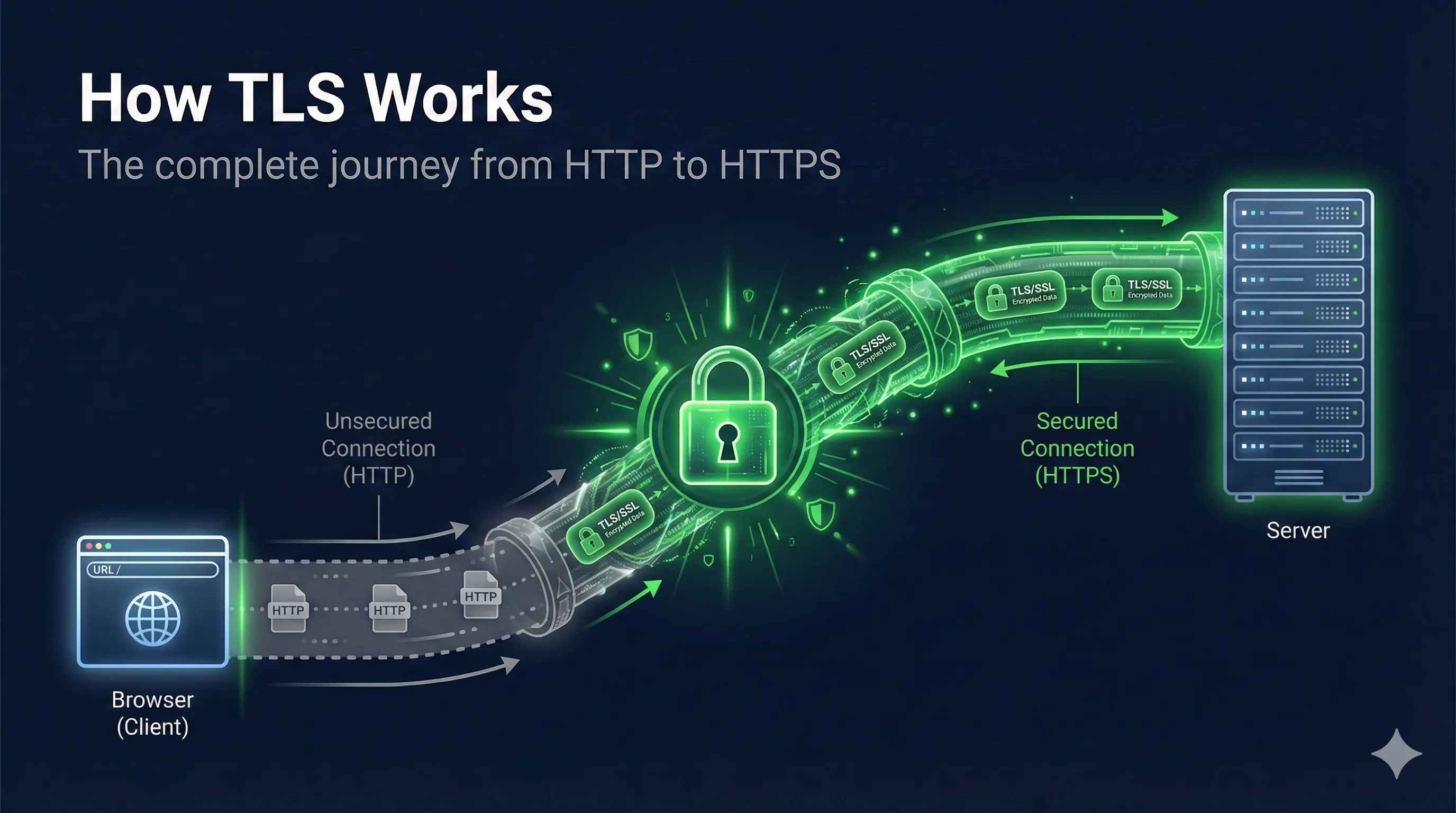
Watch: How TLS Works
TLS at a Glance
Verify server identity
Hide data in transit
Detect tampering
Quick Answer: What is TLS?
TLS (Transport Layer Security) is the protocol that puts the "S" in HTTPS. It encrypts communication between your browser and web servers, ensuring that nobody can read or tamper with your data in transit.
TLS combines multiple cryptographic techniques: asymmetric encryption for secure key exchange, digital signatures for authentication, and symmetric encryption for fast data transfer.
The TLS Handshake Overview
TLS Handshake Steps
Before any encrypted data can flow, the client and server must complete a "handshake" to establish trust and agree on encryption keys. This happens in milliseconds but involves several sophisticated steps.
The Handshake in 6 Steps
Why Two Types of Encryption?
The handshake uses asymmetric encryption (slow but solves key distribution), while data transfer uses symmetric encryption (fast and efficient). This hybrid approach gives you the best of both worlds: security and speed.
Step 1: Client Hello
The handshake begins when your browser sends a "Client Hello" message to the server. This message is sent in plaintext because encryption hasn't been established yet.
What Client Hello Contains:
- •TLS Version: Highest version the client supports (TLS 1.2, 1.3)
- •Client Random: 32 bytes of random data for key derivation
- •Cipher Suites: List of supported encryption algorithms
- •SNI (Server Name): Which domain the client wants to connect to
- •Extensions: Additional features like ALPN, key share (TLS 1.3)
# View a TLS handshake with OpenSSL
openssl s_client -connect example.com:443 -msg 2>&1 | head -50

# Or capture with detailed info
openssl s_client -connect example.com:443 -tlsextdebug -status
Security Note: The SNI extension reveals which website you're visiting, even though the actual data will be encrypted. This is why Encrypted Client Hello (ECH) is being developed for TLS 1.3.
Step 2: Server Hello & Certificate
The server responds with its choices and its identity proof. This includes the Server Hello message and the server's certificate.
Server Hello Contains:
- • Chosen TLS version
- • Server Random (32 bytes)
- • Selected cipher suite
- • Session ID
Certificate Contains:
- • Server's public key
- • Domain name (CN/SAN)
- • Issuer (CA) information
- • CA's digital signature
The certificate is crucial: it contains the server's public key and is signed by a Certificate Authority (CA). This is how the browser knows it's talking to the real server and not an imposter.
# View a server's certificate
openssl s_client -connect example.com:443 -servername example.com </dev/null 2>/dev/null | \
  openssl x509 -text -noout

# Show certificate chain
openssl s_client -connect example.com:443 -showcerts
Step 3: Certificate Verification
Before proceeding, the browser must verify that the certificate is valid and trustworthy. This is where the chain of trust comes in.
The Certificate Chain
What the Browser Checks:
- ✓Signature Valid: CA's signature on the certificate is correct
- ✓Not Expired: Certificate dates are still valid
- ✓Domain Match: Certificate covers the requested domain
- ✓Not Revoked: Certificate hasn't been revoked (OCSP/CRL check)
- ✓Trusted Root: Chain leads to a trusted root CA
# Verify a certificate chain
openssl verify -CAfile root-ca.pem -untrusted intermediate.pem server.pem

# Check certificate validity dates
openssl x509 -in certificate.pem -noout -dates

# Check if certificate is revoked (OCSP)
openssl ocsp -issuer intermediate.pem -cert server.pem \
  -url http://ocsp.example.com -resp_text
Step 4: Key Exchange
Two Types of Encryption in TLS
Asymmetric (Handshake)
- •RSA / ECDHE key exchange
- •Public + Private key pair
- •Slow but secure for key exchange
- •Used only during handshake
Symmetric (Data)
- •AES-128-GCM / AES-256-GCM
- •Same key for encrypt & decrypt
- •Fast for bulk data
- •Used for all application data
The handshake uses slow asymmetric crypto to securely exchange the fast symmetric key
Now comes the clever part: both parties need to agree on a shared secretwithout actually sending it over the network. This is done using Diffie-Hellman key exchange.
How Diffie-Hellman Works
- 1. Generates private value
a - 2. Computes
g^a(public) - 3. Sends
g^ato server - 4. Receives
g^bfrom server - 5. Computes
(g^b)^a = g^(ab)
- 1. Generates private value
b - 2. Computes
g^b(public) - 3. Sends
g^bto client - 4. Receives
g^afrom client - 5. Computes
(g^a)^b = g^(ab)
An attacker who sees g^a and g^b cannot compute g^(ab)
Modern TLS Uses ECDHE
TLS 1.2 and 1.3 use Elliptic Curve Diffie-Hellman Ephemeral (ECDHE). The "Ephemeral" means new keys are generated for each connection, providing forward secrecy – past sessions can't be decrypted even if the server's private key is later compromised.
Step 5: Session Key Derivation
The shared secret from key exchange isn't used directly for encryption. Instead, it's fed through a Key Derivation Function (KDF) to generate the actual session keys.
Keys Derived from Shared Secret
TLS 1.3 Key Schedule
TLS 1.3 uses HKDF (HMAC-based Key Derivation Function) with a more sophisticated key schedule. It derives separate keys for handshake encryption, application data, and resumption, all from the same shared secret.
Step 6: Encrypted Communication
With session keys in place, both parties send "Finished" messages to verify the handshake completed correctly. From this point on, all data is encryptedusing fast symmetric encryption.
Handshake Phase
- • Uses asymmetric cryptography
- • Slow but secure
- • Happens once per connection
- • ~100-300ms typically
Data Phase
- • Uses symmetric encryption (AES-GCM)
- • Fast and efficient
- • All application data encrypted
- • Can handle video, downloads, etc.
Common Symmetric Ciphers in TLS
AES-256-GCM– Most common, hardware-accelerated on modern CPUsAES-128-GCM– Slightly faster, still very secureChaCha20-Poly1305– Better on mobile devices without AES hardware
# See which cipher was negotiated
openssl s_client -connect example.com:443 </dev/null 2>/dev/null | grep "Cipher"

# Test specific cipher suite
openssl s_client -connect example.com:443 -cipher 'ECDHE-RSA-AES256-GCM-SHA384'

# List available ciphers
openssl ciphers -v 'HIGH:!aNULL:!MD5'
Testing TLS Connections
Here are useful commands for debugging and testing TLS connections.
Basic Connection Test
# Test TLS connection and show certificate
openssl s_client -connect example.com:443 -servername example.com

# Quick test with minimal output
curl -vI https://example.com 2>&1 | grep -E '(SSL|TLS|subject|issuer)'
Check Supported TLS Versions
# Test TLS 1.2
openssl s_client -connect example.com:443 -tls1_2

# Test TLS 1.3
openssl s_client -connect example.com:443 -tls1_3

# Show all protocol info
openssl s_client -connect example.com:443 </dev/null 2>/dev/null | grep -E '(Protocol|Cipher)'
Debug Certificate Issues
# Check certificate expiry
echo | openssl s_client -connect example.com:443 2>/dev/null | \
  openssl x509 -noout -dates

# Verify certificate chain
openssl s_client -connect example.com:443 -verify_return_error

# Check for certificate errors
curl -v https://example.com 2>&1 | grep -i "ssl\|certificate\|error"
Related Resources
TLS Handshake
Deep dive into the handshake protocol and message sequence.
Cipher Suite Decoder
Interactive tool to decode and understand cipher suite strings.
Forward Secrecy
Why ECDHE protects past sessions from future key compromise.
TLS Version Comparison
Security differences between TLS 1.2 and TLS 1.3.
Key Exchange
How Diffie-Hellman and ECDHE establish shared secrets.
Certificate Anatomy
Understand X.509 certificate structure and fields.
Encrypted Client Hello (ECH)
ECH encrypts the SNI field — the last plaintext element in TLS 1.3. Learn what changes and what breaks.
Frequently Asked Questions
What's the difference between TLS and SSL?
SSL (Secure Sockets Layer) was the original protocol, but it's now deprecated due to security vulnerabilities. TLS (Transport Layer Security) is the modern replacement. When people say "SSL," they usually mean TLS. SSL 3.0 was replaced by TLS 1.0 in 1999, and we're now on TLS 1.3 (released 2018).
How long does the TLS handshake take?
A full TLS 1.2 handshake typically takes 2 round trips (about 100-300ms depending on network latency). TLS 1.3 reduced this to 1 round trip, and supports 0-RTT resumption for returning visitors, making it significantly faster.
What is forward secrecy?
Forward secrecy (or perfect forward secrecy) ensures that even if an attacker later obtains the server's private key, they cannot decrypt past TLS sessions. This is achieved using ephemeral Diffie-Hellman keys that are discarded after each session.
Why does TLS use both symmetric and asymmetric encryption?
Asymmetric encryption solves the key distribution problem but is ~1000x slower than symmetric encryption. TLS uses asymmetric crypto only for the initial handshake to establish a shared secret, then uses fast symmetric encryption for all data transfer. This hybrid approach provides both security and performance.
What cipher suite should I use?
For TLS 1.3: TLS_AES_256_GCM_SHA384 or TLS_CHACHA20_POLY1305_SHA256. For TLS 1.2: ECDHE-RSA-AES256-GCM-SHA384. Avoid anything with CBC, RC4, 3DES, or SHA1. Always prefer ECDHE for forward secrecy.
See TLS in Action
Watch the complete TLS handshake step by step with our interactive visualization. See how Client Hello, certificates, key exchange, and encrypted data flow work together.