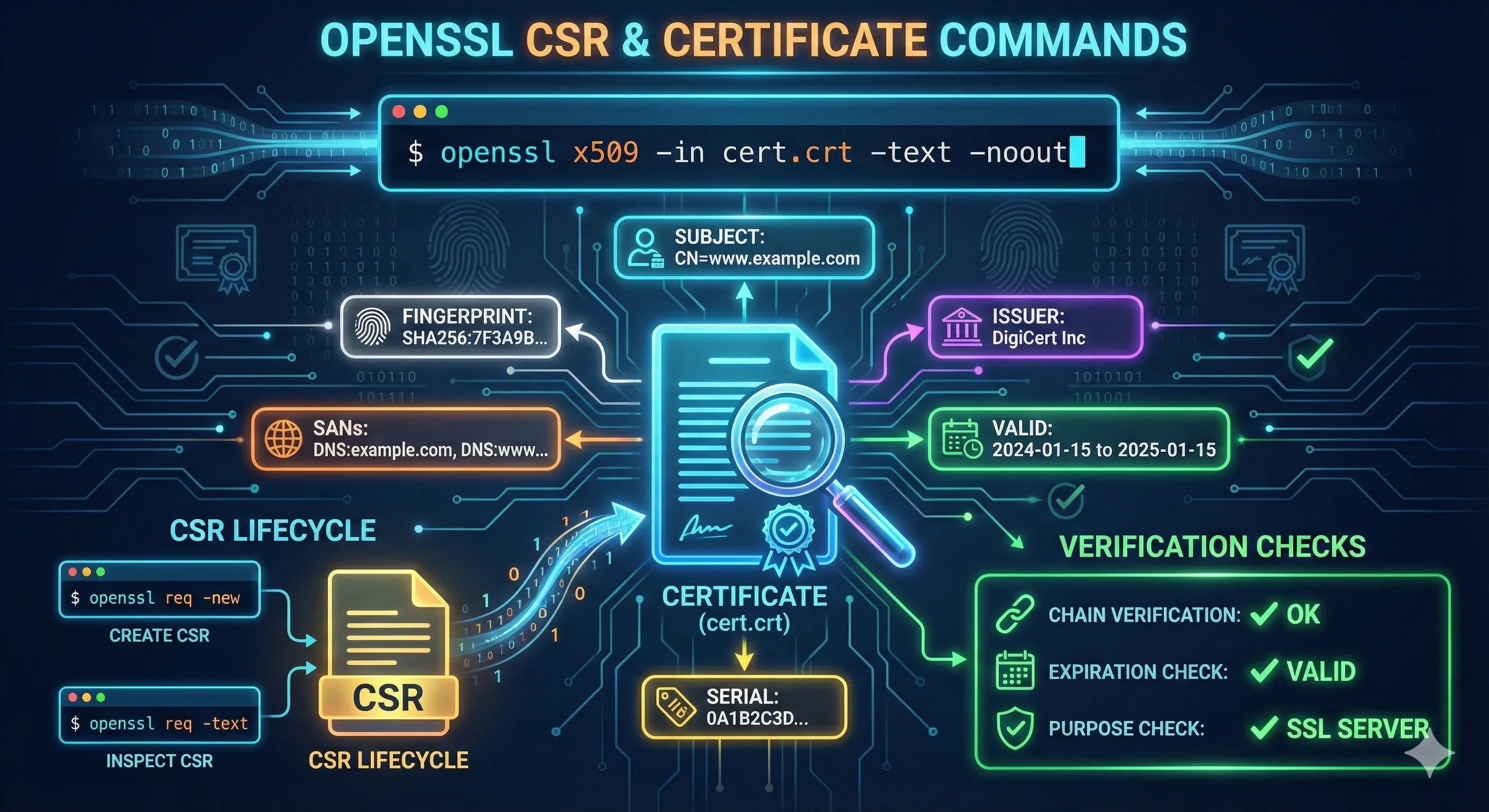
Quick Answer: Create a CSR
# Generate new key and CSR in one command
openssl req -newkey rsa:2048 -keyout private.key -out request.csr \
  -subj "/CN=example.com/O=My Company/C=US"

# Create CSR from existing private key
openssl req -new -key private.key -out request.csr \
  -subj "/CN=example.com/O=My Company/C=US"
💡 Note: Most CAs now require Subject Alternative Names (SANs). See the SANs section below for modern CSR creation.
What is a CSR?
A Certificate Signing Request (CSR) is a message sent to a Certificate Authority (CA) to request a digital certificate. It contains:
Public Key
Your public key that will be included in the certificate.
Subject Information
Organization details (CN, O, OU, C, ST, L) identifying the certificate owner.
Digital Signature
Signed with your private key to prove ownership.
Extensions (Optional)
Additional attributes like SANs, key usage, etc.
CSR Subject Fields
| Field | Abbreviation | Example | Required |
|---|---|---|---|
| Common Name | CN | www.example.com | ✅ Yes |
| Organization | O | ACME Inc | For OV/EV certs |
| Organizational Unit | OU | IT Department | Optional |
| Country | C | US | For OV/EV certs |
| State/Province | ST | California | Optional |
| Locality/City | L | San Francisco | Optional |
Basic CSR Generation
Generate Key and CSR Together
# Interactive mode (prompts for each field)
openssl req -newkey rsa:2048 -keyout private.key -out request.csr

# Non-interactive with subject
openssl req -newkey rsa:2048 -keyout private.key -out request.csr \
  -subj "/CN=www.example.com/O=ACME Inc/C=US" -nodes
Create CSR from Existing Key
# From existing RSA key
openssl req -new -key private.key -out request.csr \
  -subj "/CN=www.example.com/O=ACME Inc/C=US"

# From existing ECDSA key
openssl req -new -key ec-private.key -out request.csr \
  -subj "/CN=www.example.com/O=ACME Inc/C=US"
Generate Unencrypted Key
# Use -nodes to skip key encryption (for automated systems)
openssl req -newkey rsa:2048 -nodes -keyout private.key -out request.csr \
  -subj "/CN=www.example.com"
⚠️ Note: The -nodes flag creates an unencrypted private key. Use this for automated deployments, but ensure the key file has proper permissions (600).
CSR with Subject Alternative Names (SANs)
Modern certificates require SANs to specify all valid hostnames. The Common Name (CN) alone is deprecated for hostname validation.
Method 1: Command Line with Config
# Create CSR with SANs using -addext (OpenSSL 1.1.1+)
openssl req -new -key private.key -out request.csr \
  -subj "/CN=example.com/O=ACME Inc/C=US" \
  -addext "subjectAltName=DNS:example.com,DNS:www.example.com,DNS:api.example.com"
Method 2: Config File (Recommended)
Create a config file for complex CSRs with multiple SANs:
# san.cnf
[req]
default_bits = 2048
prompt = no
default_md = sha256
distinguished_name = dn
req_extensions = req_ext

[dn]
CN = example.com
O = ACME Inc
C = US
ST = California
L = San Francisco

[req_ext]
subjectAltName = @alt_names

[alt_names]
DNS.1 = example.com
DNS.2 = www.example.com
DNS.3 = api.example.com
DNS.4 = *.example.com
IP.1 = 192.168.1.1
# Generate CSR using config file
openssl req -new -key private.key -out request.csr -config san.cnf

# Generate new key and CSR together
openssl req -newkey rsa:2048 -nodes -keyout private.key -out request.csr -config san.cnf
Wildcard Certificate CSR
# Wildcard CSR (covers *.example.com)
openssl req -new -key private.key -out request.csr \
  -subj "/CN=*.example.com/O=ACME Inc/C=US" \
  -addext "subjectAltName=DNS:*.example.com,DNS:example.com"
Tip: Wildcard certificates (*.example.com) don't cover the apex domain. Always include both *.example.com and example.com in your SANs.
Using a Config File
Config files are essential for repeatable, complex CSR generation. Here's a complete example:
# openssl-csr.cnf - Complete CSR configuration

[req]
default_bits       = 2048
default_md         = sha256
prompt             = no
encrypt_key        = no
distinguished_name = req_distinguished_name
req_extensions     = req_ext

[req_distinguished_name]
countryName            = US
stateOrProvinceName    = California
localityName           = San Francisco
organizationName       = ACME Inc
organizationalUnitName = Engineering
commonName             = www.example.com
emailAddress           = [email protected]

[req_ext]
basicConstraints     = CA:FALSE
keyUsage             = digitalSignature, keyEncipherment
extendedKeyUsage     = serverAuth, clientAuth
subjectAltName       = @alt_names

[alt_names]
DNS.1 = example.com
DNS.2 = www.example.com
DNS.3 = api.example.com
DNS.4 = mail.example.com
IP.1  = 10.0.0.1
IP.2  = 192.168.1.100
Using the Config File
# Generate new key and CSR
openssl req -new -newkey rsa:2048 -keyout private.key -out request.csr \
  -config openssl-csr.cnf

# Use existing key
openssl req -new -key private.key -out request.csr -config openssl-csr.cnf

# Verify the CSR includes SANs
openssl req -in request.csr -text -noout | grep -A 1 "Subject Alternative Name"
Viewing CSR Contents
View Full CSR Details
# View CSR in human-readable format
openssl req -in request.csr -text -noout

# View only the subject
openssl req -in request.csr -subject -noout

# View the public key
openssl req -in request.csr -pubkey -noout
Verify CSR Signature
# Verify CSR is valid and properly signed
openssl req -in request.csr -verify -noout
# verify OK
Check CSR Matches Private Key
# Extract modulus from CSR
openssl req -in request.csr -noout -modulus | md5sum

# Extract modulus from private key
openssl rsa -in private.key -noout -modulus | md5sum

# If MD5 sums match, the CSR was created with that key
Troubleshooting Common Errors
problems making Certificate Request
problems making Certificate RequestCauses:
- • Invalid subject format
- • Missing required fields
- • Config file syntax errors
Solution: Check your -subj format. Use forward slashes:/CN=example.com/O=Company/C=US
unknown option -addext
req: Unknown option: -addextCause: OpenSSL version is older than 1.1.1
# Check OpenSSL version
openssl version

# For older versions, use a config file instead of -addext
CSR missing SANs after submission
Cause: CA ignores CSR extensions and requires SANs in their portal.
Solution: Many CAs require you to specify SANs in their web interface, not just in the CSR. Check your CA's documentation.
Country code invalid
string is too long (max 2 characters) for field "countryName"Solution: Country codes must be exactly 2 characters (ISO 3166-1 alpha-2). Use "US" not "USA", "GB" not "UK" or "United Kingdom".
Best Practices Checklist
- Always include SANs - CN alone is deprecated
- Use RSA 2048+ or ECDSA P-256 for the private key
- Include both apex (example.com) and www in SANs
- Use a config file for complex or repeatable CSRs
- Verify CSR contents before submitting to CA
- Keep the private key secure (600 permissions)
- Use SHA-256 or higher for the signature algorithm
- Match organization details exactly for OV/EV certs
Frequently Asked Questions
Do I need to include the www subdomain in my CSR?
Yes, include both example.com and www.example.com in your SANs. Browsers treat them as different domains, so your certificate needs to cover both.
What's the difference between CN and SAN?
Common Name (CN) is the legacy field for the primary domain. Subject Alternative Name (SAN) is the modern, recommended way to specify all valid hostnames. Use both for maximum compatibility.
Can I use the same CSR for renewal?
Technically yes, but it's better to generate a new key pair and CSR for each renewal. This limits exposure if a key is compromised.
How do I create a CSR for a wildcard certificate?
Use *.example.com as the CN or in SANs. Include both *.example.com and example.com since wildcards don't cover the apex domain.
What does -nodes mean in the openssl command?
-nodes means "no DES" - it creates an unencrypted private key with no passphrase. Useful for automated deployments but less secure.
How do I add IP addresses to a CSR?
Include them in SANs using the IP: prefix. In a config file: IP.1 = 192.168.1.1. With -addext: "subjectAltName=IP:192.168.1.1"
Related Resources
OpenSSL Key Generation
Generate RSA and ECDSA private keys for your CSRs
Inspect Certificates
View certificate details after receiving from CA
CSR Builder Demo
Interactive tool to build and understand CSRs
Certificate File Formats
PEM, DER, PKCS#12 and format conversions
Certificate Anatomy
Understand every field in X.509 certificates
Verify Certificate Chain
Validate your issued certificates against the chain