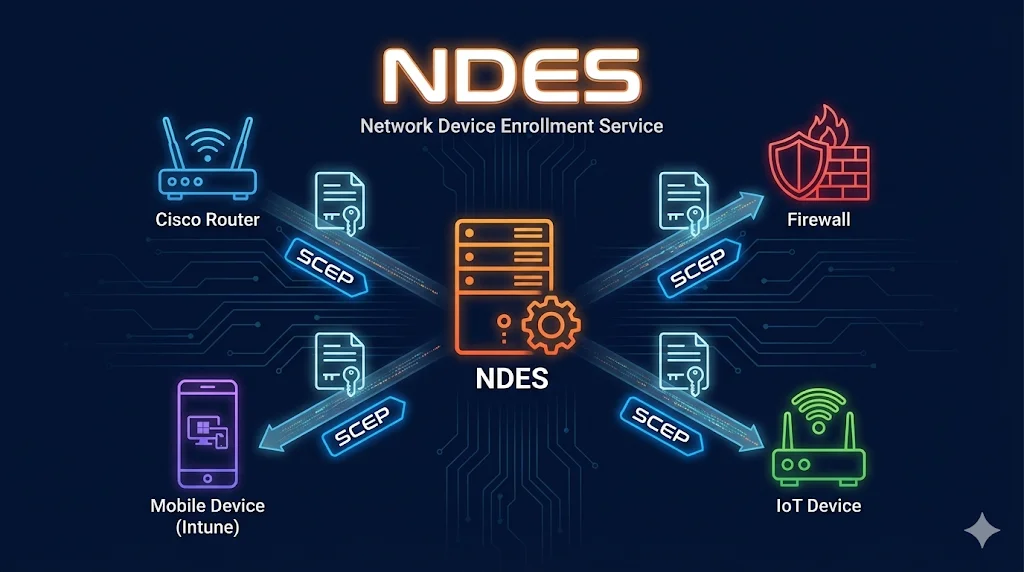
What is NDES?
Network Device Enrollment Service (NDES) is Microsoft's implementation of the SCEP (Simple Certificate Enrollment Protocol). It enables network devices, mobile devices, and other systems that cannot join Active Directoryto request and receive certificates from your ADCS infrastructure.
Think of NDES as a translator: it speaks SCEP (a simple HTTP-based protocol) on one side to devices, and speaks Microsoft's certificate enrollment protocol on the other side to your CA.
Want to understand SCEP first? Check out our interactive SCEP Protocol Demo to see how the protocol works step-by-step.
What NDES Solves
Normal ADCS autoenrollment (via Group Policy) requires devices to be domain-joined. But many devices can't or shouldn't join Active Directory:
Normal Autoenrollment Requires
- Windows device joined to AD
- Domain computer account
- Group Policy processing
- Kerberos authentication
NDES Provides
- HTTP/HTTPS enrollment (no AD needed)
- Challenge password authentication
- Works with any SCEP-compatible device
- Cross-platform support
Common NDES Use Cases
Cisco Devices
Routers, switches, ASA firewalls, ISE for 802.1X
Palo Alto
Next-gen firewalls, GlobalProtect VPN
Fortinet
FortiGate firewalls, FortiClient VPN
Microsoft Intune
iOS, Android, macOS device certificates for Wi-Fi, VPN, email
IoT Devices
Printers, cameras, sensors, industrial equipment
VPN Appliances
Any VPN concentrator supporting SCEP
NDES Architecture
Click on any component to learn more:
+ Challenge Password
Related: For details on CA hierarchy, see ADCS Architecture →
Challenge Passwords
NDES uses challenge passwords to authenticate enrollment requests. There are two modes:
Single Password Mode
One static password used for all enrollments. Easier but less secure.
- Simple to configure
- Works with devices that don't support OTP
- Password reuse risk
- If leaked, anyone can enroll
HKLM\SOFTWARE\Microsoft\Cryptography\MSCEP
UseSinglePassword = 1
One-Time Password Mode
Unique password generated for each enrollment. More secure, recommended for production.
- Password valid for single use
- Time-limited validity (default 60 min)
- Audit trail per request
- Requires admin to generate each password
Access: https://ndes-server/certsrv/mscep_admin/Intune Note: Microsoft Intune uses the NDES Connector, which bypasses the challenge password entirely. Intune manages its own authentication between the connector and your NDES server.
NDES + Intune
Microsoft Intune uses NDES to provision certificates to managed mobile devices. The flow is different from traditional SCEP enrollment:
Intune SCEP Enrollment Flow
- 1Device requests certificate
Mobile device (iOS/Android) receives SCEP profile from Intune
- 2Intune validates the request
Cloud service verifies device is compliant and managed
- 3NDES Connector receives request
On-premises connector bridges Intune to NDES
- 4NDES requests certificate from CA
Uses configured template for mobile devices
- 5Certificate delivered to device
Device can now use cert for Wi-Fi, VPN, email
mTLS with Mobile: Once devices have certificates, you can use them for mutual TLS authentication. See mTLS Demo →
Common NDES Issues
| Issue | Cause | Fix |
|---|---|---|
| HTTP 500 on SCEP endpoint | NDES service account permissions | Grant account Request + Enroll on template |
| "The certificate request failed" | Template not published to CA | Add template to CA's certificate templates |
| Challenge password rejected | Password expired or already used | Generate new OTP password |
| "0x80094800" error | Template requires approval | Remove CA manager approval from template |
| Intune connector offline | Connector service stopped or firewall | Restart service, check 443 outbound to Intune |
| Certificate has wrong subject | Template supplies subject from AD | Set "Supply in the request" on template |
| Pending request never completes | CA requires manual approval | Approve in CA console or use auto-approve |
| "No certificate templates available" | NDES account missing permissions | Add Read + Enroll to NDES service account |
Troubleshooting Tip: Enable NDES debug logging:
certutil -setreg CA\Debug 0xFFFFFFFFLogs appear in %windir%\mscep.log
Next Steps
Related Resources
SCEP Protocol Demo
Interactive visualization of the SCEP enrollment protocol.
ADCS Architecture
Root CA, Issuing CA, and component placement.
Certificate Templates
Configure templates for NDES enrollment.
ADCS Security
Secure your NDES deployment against attacks.
Certificate Lifecycle
Manage certificates from issuance through renewal.
Autoenrollment
Alternative to NDES for domain-joined devices.