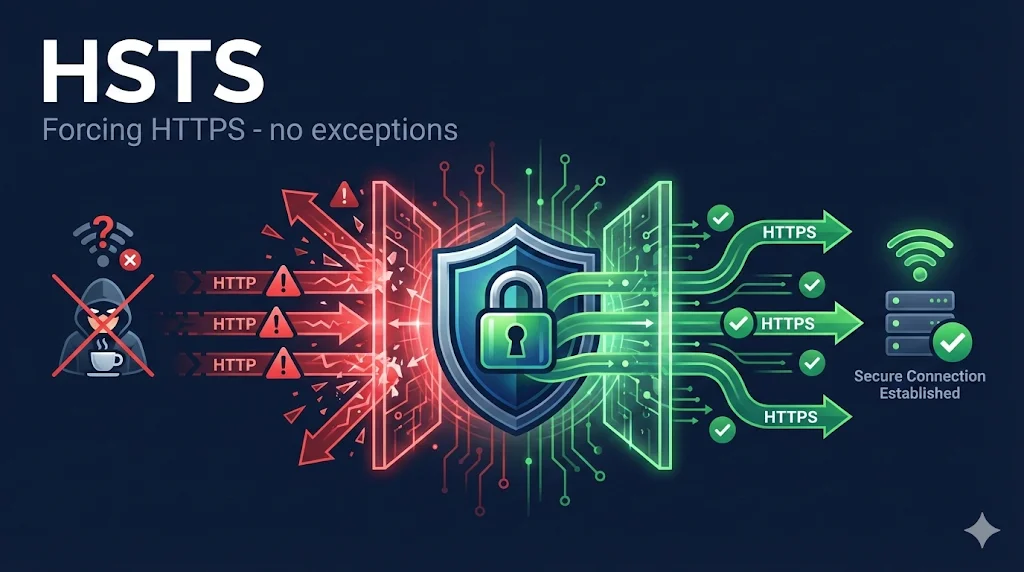
What is HSTS?
HTTP Strict Transport Security (HSTS) is an HTTP response header that instructs browsers to only access a website using HTTPS, never HTTP. Once a browser receives an HSTS header, it will automatically convert any HTTP URLs to HTTPS before making requests.
Strict-Transport-Security: max-age=31536000; includeSubDomains; preloadThis simple header provides powerful protection against man-in-the-middle attacks, specifically the "SSL stripping" attack that exploits the initial HTTP request before redirect.
The SSL Stripping Problem
When you type example.com into your browser (without https://), the browser first tries HTTP. The server then redirects you to HTTPS. This creates a vulnerability window:
The Attack Scenario
bank.com in your browserThis attack is called SSL stripping because the attacker "strips" the SSL/TLS layer, keeping you on unencrypted HTTP while proxying your requests.
How HSTS Works
HSTS solves the SSL stripping problem by telling browsers to never make HTTP requests:
With HSTS Enabled
bank.comHSTS Header Directives
| Directive | Example | Description |
|---|---|---|
| max-age | 31536000 | How long (in seconds) to remember the HSTS policy. 31536000 = 1 year. |
| includeSubDomains | (flag) | Apply HSTS to all subdomains. Required for preload. |
| preload | (flag) | Indicates eligibility for browser preload list. |
Common max-age Values
8640025920003153600063072000The Preload List
Even with HSTS, there's still a vulnerability on the very first visit before the browser receives the HSTS header. The HSTS preload list solves this by hardcoding HSTS-enabled domains directly into browsers.
Preload is a Commitment
Once your domain is on the preload list, removal takes months. All subdomains must have valid HTTPS. Test thoroughly before submitting!
Implementation Guide
Apache (.htaccess or httpd.conf)
Header always set Strict-Transport-Security "max-age=31536000; includeSubDomains; preload"
Nginx
add_header Strict-Transport-Security "max-age=31536000; includeSubDomains; preload" always;
IIS (web.config)
<system.webServer>
  <httpProtocol>
    <customHeaders>
      <add name="Strict-Transport-Security"
           value="max-age=31536000; includeSubDomains; preload" />
    </customHeaders>
  </httpProtocol>
</system.webServer>
Express.js (Node.js)
app.use((req, res, next) => {
  res.setHeader('Strict-Transport-Security',
    'max-age=31536000; includeSubDomains; preload');
  next();
});
Important: HSTS headers should only be sent over HTTPS connections. Browsers ignore HSTS headers received over HTTP.
Common Mistakes
| Mistake | Problem | Fix |
|---|---|---|
| max-age too short | Policy expires, vulnerability returns | Use 1-2 years minimum |
| Missing includeSubDomains | Subdomains still vulnerable | Add after testing all subdomains |
| Premature preload | Can't easily undo | Test thoroughly first |
| HTTP resources | Mixed content breaks | Audit all resources |
| Forgetting subdomains | dev.example.com breaks | Plan subdomain strategy |
Testing HSTS
Using curl
curl -I https://example.com | grep -i strict-transport-security
Browser DevTools
Open DevTools → Network tab → Reload → Click main request → Headers tab → Look forStrict-Transport-Security
Check Preload Status
Visit hstspreload.org and enter your domain to check eligibility and current status.
Frequently Asked Questions
Does HSTS work without a valid certificate?
No. If your certificate expires or becomes invalid, users with cached HSTS policies will be completely locked out - browsers won't allow bypassing the certificate error. This is a feature, not a bug!
Can I disable HSTS after enabling it?
You can set max-age=0 to tell browsers to remove the policy, but they must visit your site again to receive this header. Preload list removal takes months.
Does HSTS affect SEO?
Not directly. However, HTTPS is a ranking signal, and HSTS ensures users always access the HTTPS version. It's generally good for SEO.
Should every site use HSTS?
If your site uses HTTPS (which it should), HSTS is strongly recommended. The only reason to avoid it is if you have legitimate HTTP-only services on subdomains.